An official website of the United States government.

Here's how you know.

Official websites use .gov
A .gov website belongs to an official government organization in the United States.

Secure .gov websites use HTTPS
A lock () or https://means you've safely connected to the .gov website. Share sensitive information only on official, secure websites.


WildFireSA
WildfireSA is a public-facing common operating picture that displays geospatial wildland fire information along with briefing and active incident metrics.
Open WildFireSA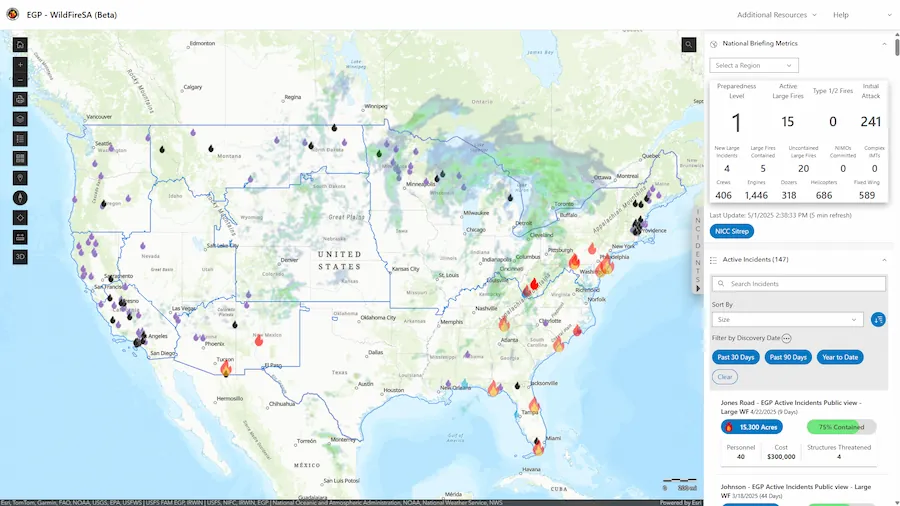
Training Materials
FAQ
How can I access WildFireSA on my mobile device?
Navigate to https://egp.wildfire.gov/maps.
How can I show EGP as an app on my phone?
- Navigate to https://egp.wildfire.gov/maps
- On an Android, click the three dots to go to Settings. On an iPhone, click the Share button.
- On an Android, click Install. On an iPhone, click Add to Home Screen.
- You can now access the site from the icon on your application screen.
- To remove the app, you can uninstall by long pressing on the app tile.
How can I share an incident?
You can share active incidents by selecting an incident from the Active Incidents widget then select the Copy Incident URL button.  The copied URL contains your current map view as well as the incident details.
Why is the layer I want to access greyed out and/or unable to be selected?
Some layers are available only at certain zoom levels. If your map view is zoomed out too far, the layer you wish to access may not be available. If this happens, adjust the zoom level until the layer becomes available.
How do I access Airborne Missions, add Data, or find Lightning Strike information?
These are features of WildFireSA Advanced. Please sign in to 🔥WildFireSA Advanced.
Why is another mapping app or data source displaying information more quickly than WildFireSA?
WildFireSA is designed to pull data from multiple sources to provide the most comprehensive data available across all data sources. We are working with third-party sources that have a human component of data entry; therefore, there is sometimes a delay for receiving some datasets. We are working closely with our third-party partners to continue to improve the speed, accuracy, and overall performance of the WildFireSA application.
Why don't Active Incident Data and Perimeter Data always match?
Active Incident details and WFIGS location information come from reports submitted by various official sources, while WFIGS perimeter data is generated through spatial analysis. Because these datasets are created in different ways and serve different purposes, they're meant to complement each other—and occasional differences between them are expected.
Why does my Layers Menu reset every time I access EGP? Is there a way to save my customizations?
There is a Saved Map Presets feature available in WildFireSA Advanced. Please sign in to 🔥WildFireSA Advanced.
Can I change the order of layers or adjust opacity so I can see one layer behind another?
To rearrange layers, click and drag the Reposition button.  To adjust a layer's opacity, select the layer's Opacity control and adjust the slider.
How can I search for specific coordinates on the map?
You can enter your desired coordinates into the search bar on the rightmost side of the map extent. Alternatively, you can adjust the latitude and longitude or zoom level of the map by adjusting the coordinates or zoom level within the URL bar.

How do I export/download maps?
You can export maps by using the Print button from the map toolbar.
When I double-click an end spot using the Measure Tool it does not stop the measurement.
Please ensure when using the Measure Tool that your endpoint does not overlap with one of the other nodes that you have dropped. For example, if you dropped multiple nodes and are ready to complete your measurement, ensure the selected endpoint does not overlap with any of the previously dropped nodes.